My Gripes with YouTube’s Video Playlist System
Created 2025 August
Updated 2026 January 6
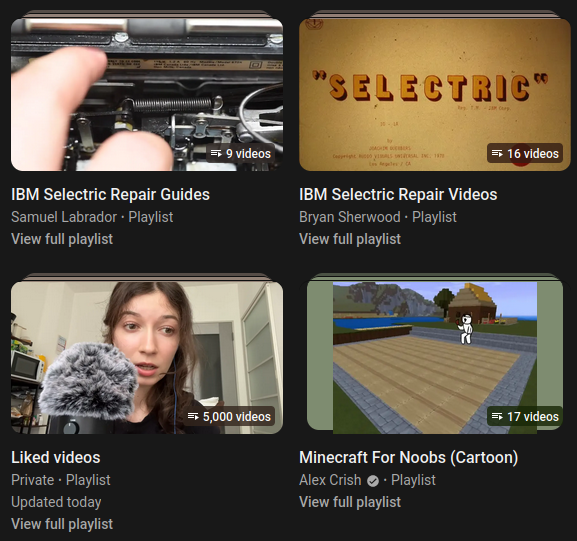
This story begins as any good criticism would begin, I was stupid and allowed myself to aggregate an enormous amount of data into one folder. The Liked Videos folder, as any other folder in the YouTube has a hard-limit of 5000 videos, except it doesn’t but we will get to that, and I have rendered myself unable to view all the videos I have liked, and so I had to endeavor into sorting all of it into the different categories of videos I primarily view. As I soon came to find out this was tedious, infuriating, and error-prone.
The soft limits, the hard limits, and the chub in-between
As it turns out that 5000 videos is the maximum number of videos YouTube is willing to display inside a folder at any given moment, but is not in-fact the maximum amount of videos it can hold, of which the actual limit I do not know. To explain, if I had 5001 videos in my Liked Videos list, I would be able to see the first 5000 videos, and if I removed one of the videos, I would then be able to see the last video in the list, imagine my disappointment at the first time seeing the number 5000 and not my first liked video (it was episode 41/42 of a Minecraft Factions PvP series, no I am not autistic). There is also the soft-limit of how many videos are in a playlist before it stops working correctly, In my testing (sorting videos that are playing then scrolling in the playlist to a new video) after about 200 videos in a playlist will become sluggish, and after about 1000-2000 will really start to slow down and begin to not track clicks correctly, and clicking on a video in the playlist will instead link to a video in a ~100 track radius. This leads into my next point, playlist sorting.
Like Videos side tangent: Although Liked Videos are a playlist, and are in the playlist section of the saved videos page, you cannot remove or add a video to it from the playlist controls, and instead require you to either remove it from the Playlists’ overview or to manually unlike the video.
Side, Side Tangent: Whoever removed the Uploads playlist and associated Play All Videos on every youtubers’ Videos page, I will go after you.
|
|
|---|
Why are you sorting like this
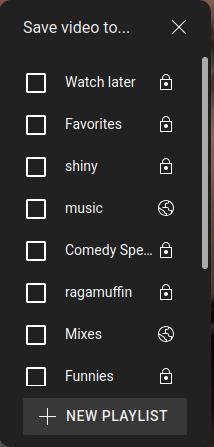
Looking back at Image 1 as to how the Save Videos To Playlist menu looks like, you may notice a lack of organization, that is because the menu is sorted by last added and cannot be changed. The only exception to this organization is the Watch later playlist, which will always be the first playlist in the list of playlists (say that 5 times fast).
Playlists on the phone
I do not use the YouTube app on the phone, as any web page that does not have my respect does not deserve to be freestanding in my app drawer, also the ad-blocker works on IceRaven, continuing on, playlist controls do not work, or do not exist at all on mobile view. Changing how a playlist is sorted? Unavailable. Playlist settings? Unavailable. Add all videos in playlist to a new playlist? Unavailable. The playlist overview page in which all of these features are located in are accessible on the phone just as on desktop view, they just do not exist. The only feature to exist on mobile?
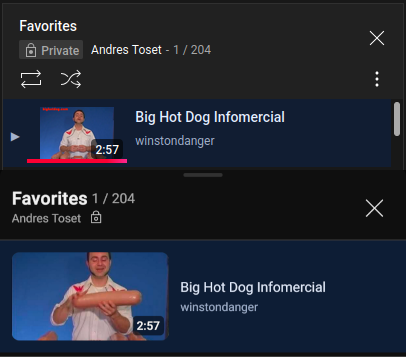
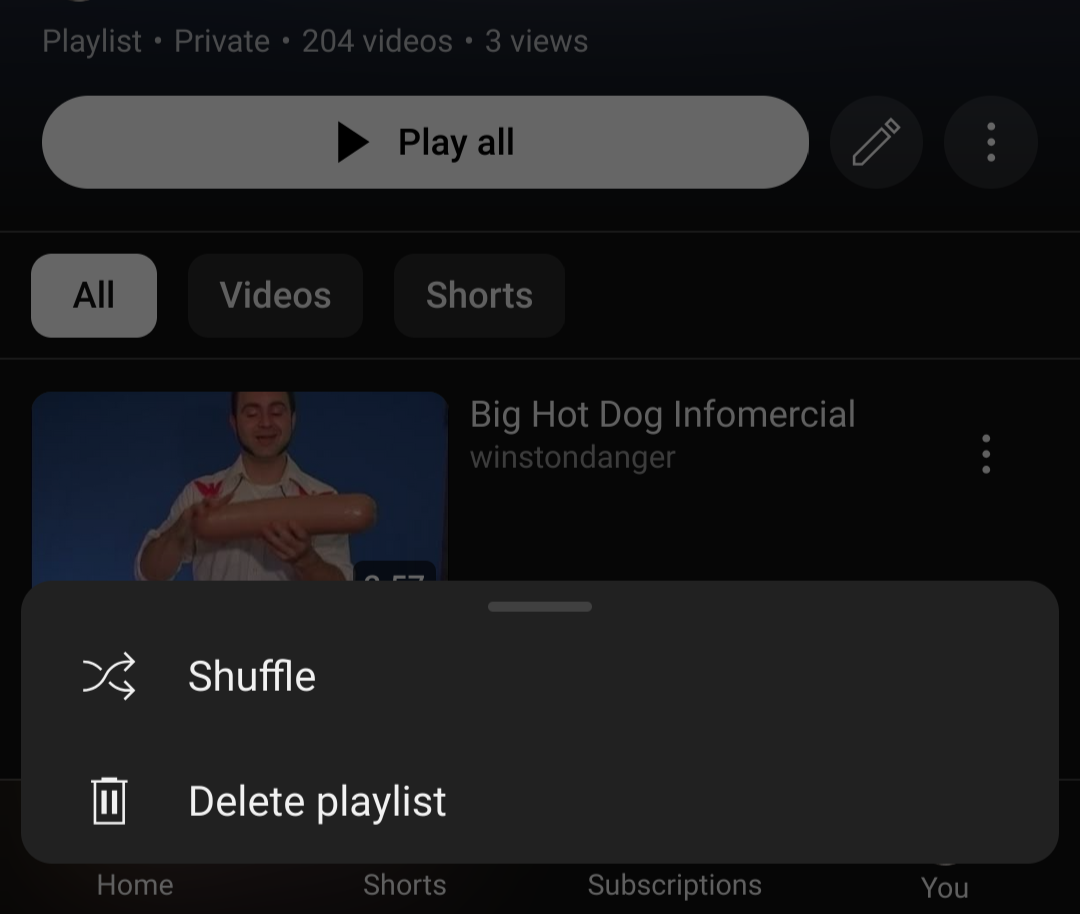
Shuffle! I will have to give them credit, as before when looking at the shuffle it was broken on both desktop and mobile, where it would only choose from the first 6 or so videos. Shuffle on desktop now works perfectly as you would expect, Shuffle on mobile exists in the hamburger menu of the playlist overview page and directs you to a random video in the list, that's it. Shuffle and Loop are not supported on mobile, and the Shuffle and Loop buttons you see on desktop do not exist, when reaching to the end of a playlist it will instead show a buggy blank “Up Next” that will continue to tick down to nothing.
 |
 |
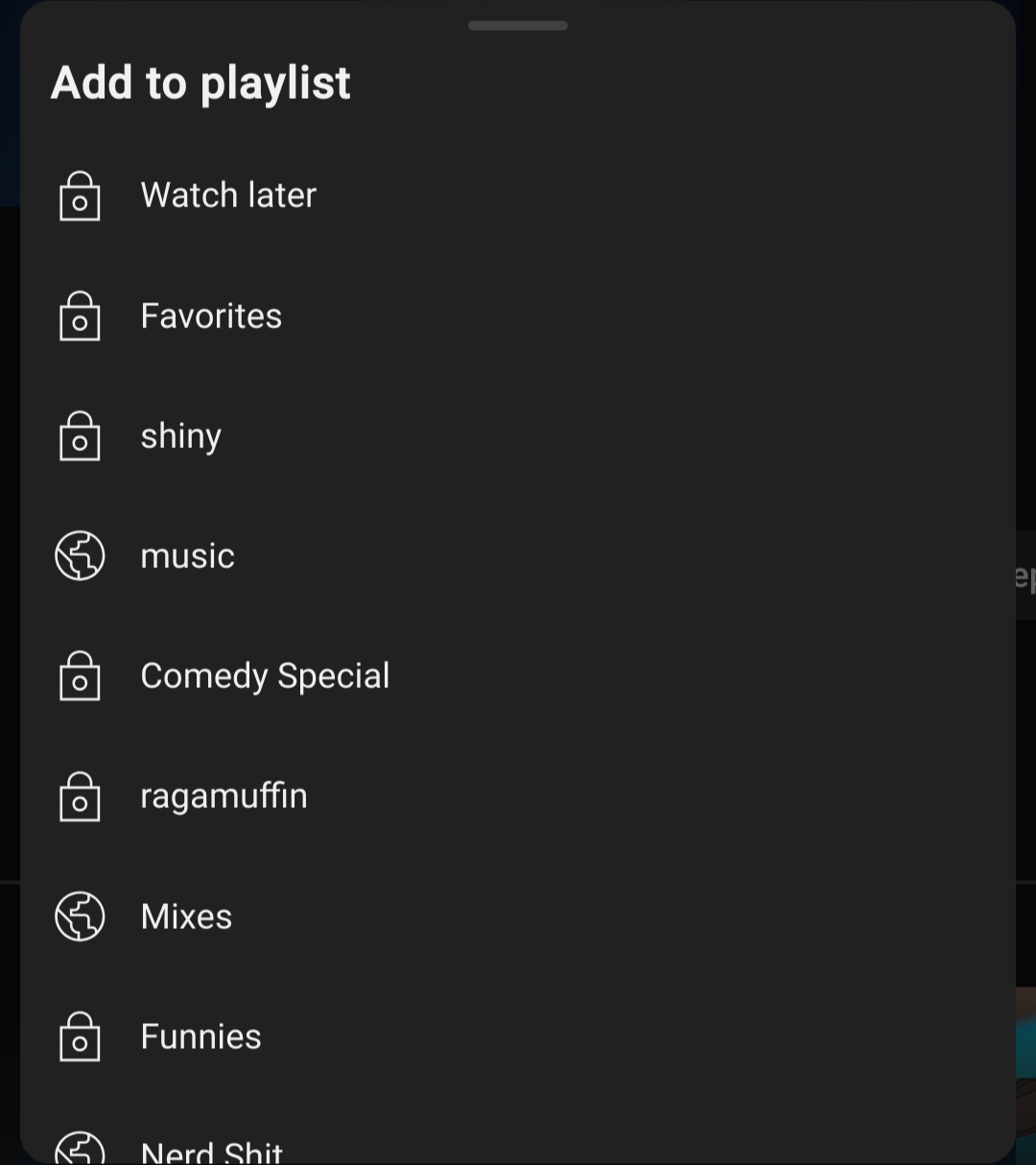
Finally we bring the big boss himself, the major player in my hatred, the Add to Playlist button on mobile. If you would please look at the provided Image you will see it lacks the check boxes from the Desktop view, this is because duplicates are a special feature reserved for the hell that is mobile users. There is no way to remove duplicate videos from a playlist, it existed once eons ago as a YouTube music feature in 2020 but sadly no longer exists, and if you accidentally add a duplicate video, do not worry! There exists a handy dandy ‘[Video] added to [Playlist] remove?’ that will do absolutely nothing. You have to mentally mark that it exists because, due to a lack of check boxes, you cannot remove videos on the Add to Playlist menu on mobile, and instead requires you to go back to the playlist overview and remove it, and then add it again, because YouTube will remove both the video and its duplicate.
Conclusion
Was this a fair review of YouTube mobile? No! and the idea of fairness in a review will never be brought up again on my site. I was stuck laying on a couch with nothing but my phone for a whole day and I decided to sort my liked videos, and I regret stubbornly trying to do it. Youtube on mobile is a broken and buggy mess, and I wish I had the multiple terabytes of storage to download all the videos I liked because they keep getting privated. This was also an excuse to write a blog post as I knew I had enough material to make something that looks good on the surface, and on that I thank you for reading my neurotic ramblings in which my hatred for google and its stupidly opaque and buggy video hosting site became the irritant that allowed me to slowly salivate my thoughts into a composed manner and spit out this pearl of a post.
Update

It seems Youtube has fixed a lot of the mobile issues I presented in my article with the update to their playlist UI seen above. The update has solved not seeing if a video was bookmarked on mobile, however the mobile first design has introduced new issues on desktop that I will elaborate here. The new UI is too small for desktop use, and with the new playlist look instead of a list of names it can now only show a maximum of 4 playlists without having to scroll, it also removed my favorite feature of the desktop version which lets me add one video to several playlists at once as now the menu closes once you add the video to a playlist, this complain is minor as it only really affects my workflow of categorizing liked videos and would probably be a benefit to most users as they just add the video to one playlist and leave it at that.
Neo-Conclusion
Youtube really needs an actual options page, as a videoplayer for billions of people I hope they would realize lots of people do things differently. Having slightly differing UI's that do not really change the start and endpoints would be a massive boon for keeping users who have other options for streaming things like music.